



To the page content
Includes 3 months of full access to ArtMaster.com

Includes 3 months of full access to ArtMaster.com – your online music learning platform for music production, songwriting and viral TikTok-style music creation.

When you purchase this studio product, you receive a free 3-month voucher worth EUR 59, valid from 15.07. to 14.10.2026, giving you full access to premium online courses focused on modern production techniques, beat-making, vocal editing, creative workflows and content-ready sound design.

ArtMaster.com – your e-learning partner created with industry professionals such as Sam Pounds (Chris Brown, Dr. Dre), Printz Board (Black Eyed Peas, Justin Timberlake), and Chris Kasych (Adele, Beck, Pharrell Williams). Learn from over 500 video lessons designed for producers, creators and songwriters — covering DAW production, mixing fundamentals, arrangement, hooks for TikTok, and essential skills for turning ideas into release-ready tracks.

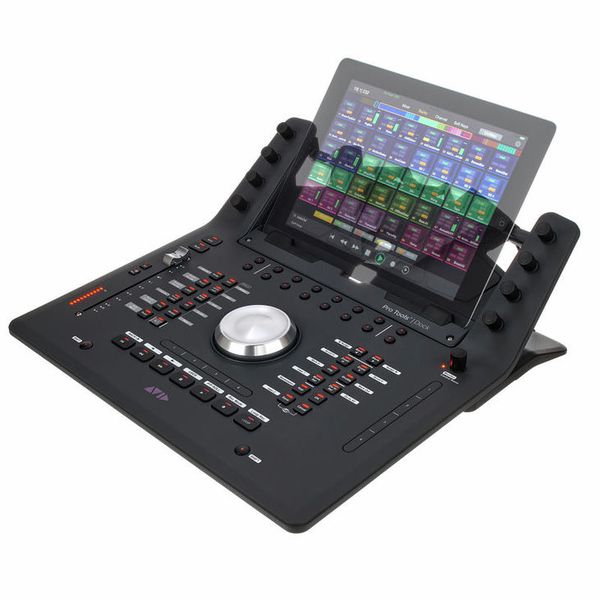
DAW Controller for iOS, Android and Amazon Fire Tablets.

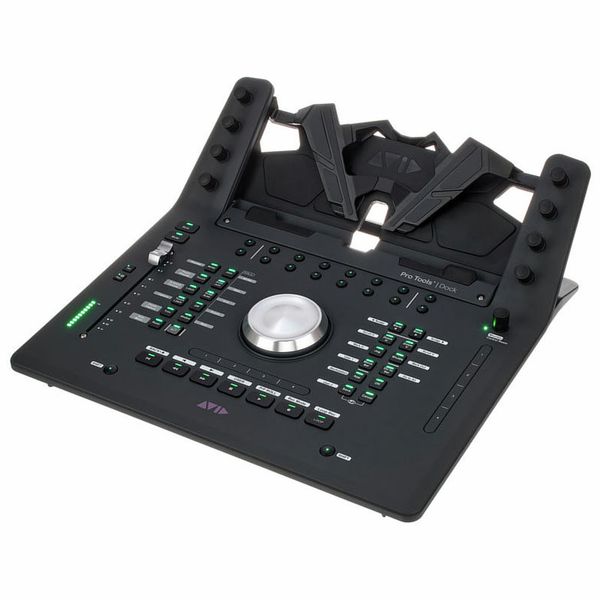
  • Integration and extension of the free "Avid Control" tablet app
  • Compatible with DAW software with EUCON protocol support
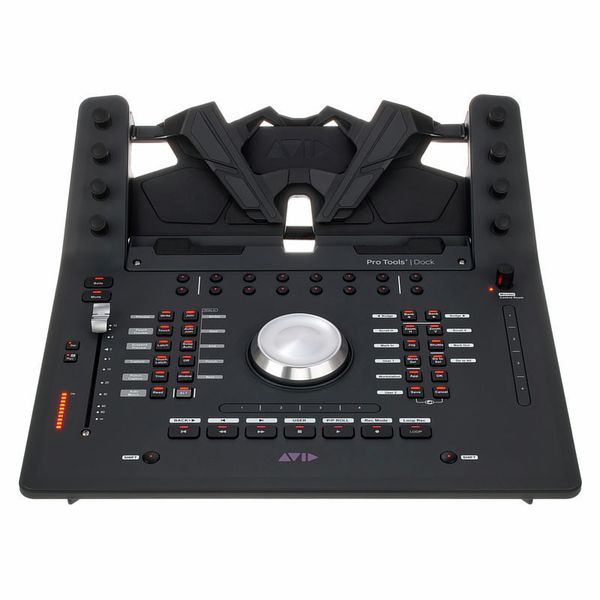
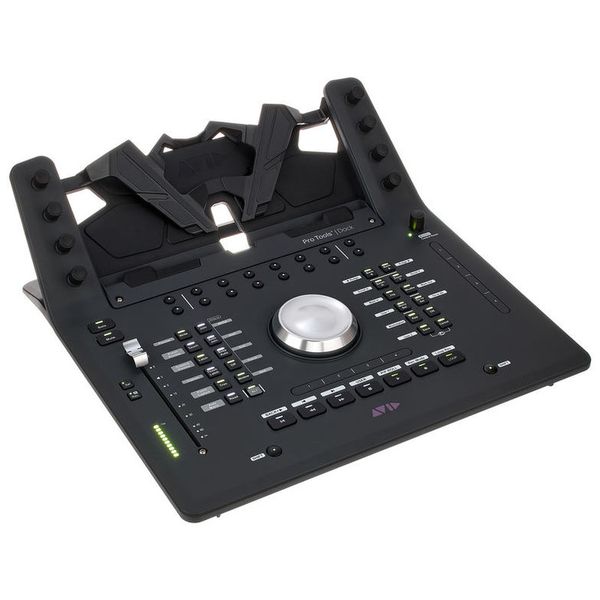
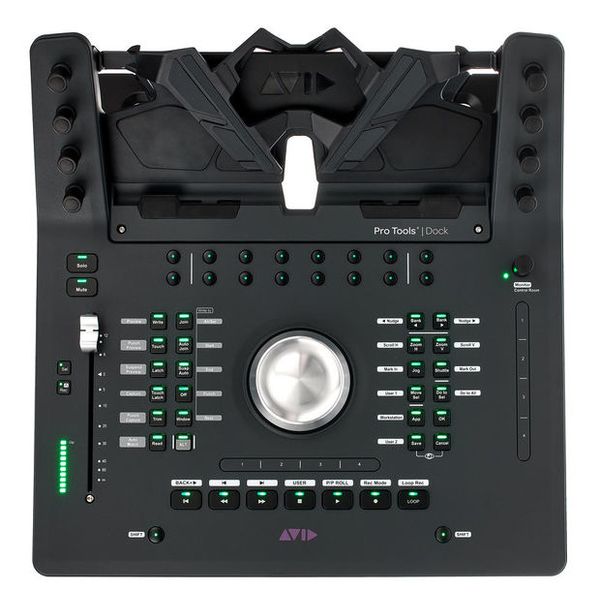
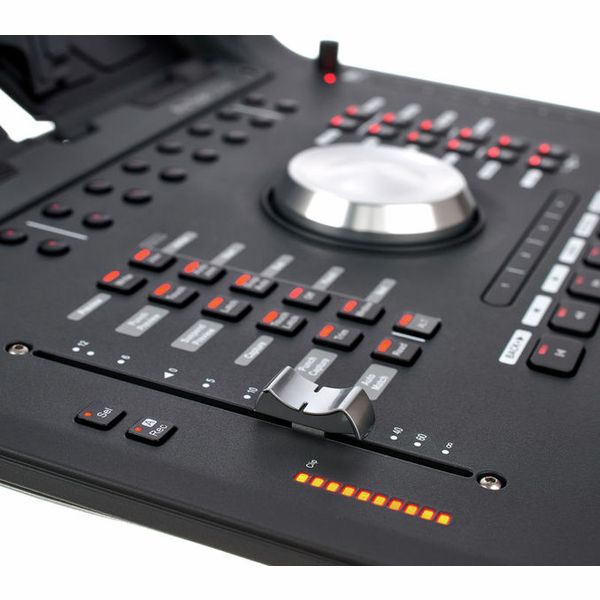
  • Touch-sensitive motorised fader
  • 8 Touch-sensitive endless encoders with touch function
  • 10-Segment level meter with pre- and post-fader options
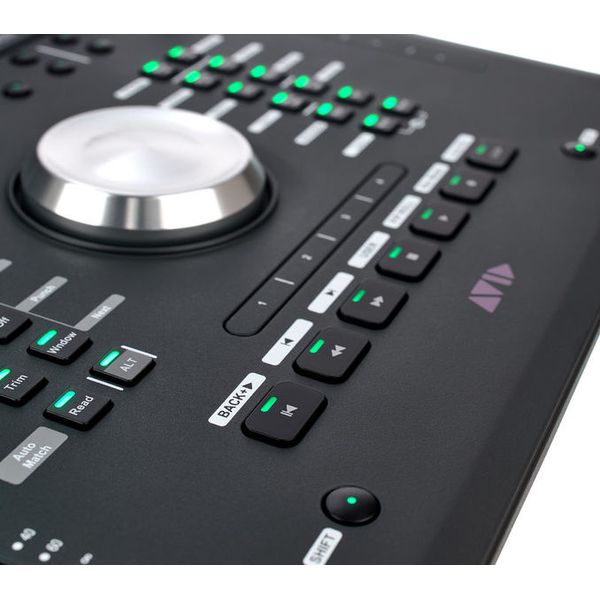
  • JogWheel and transport section
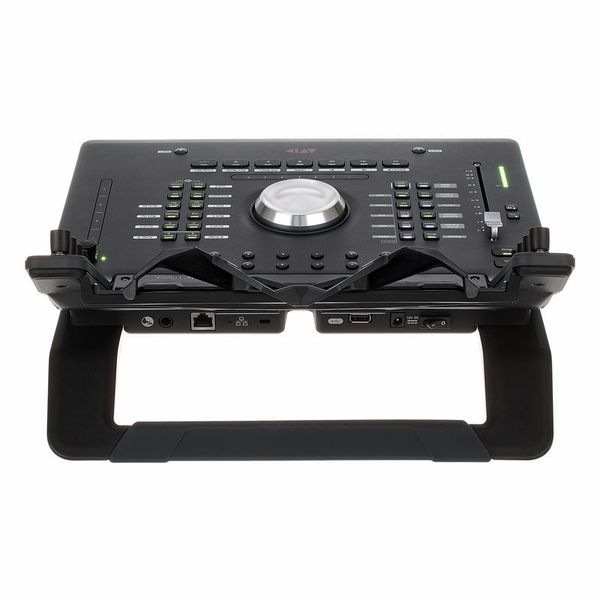
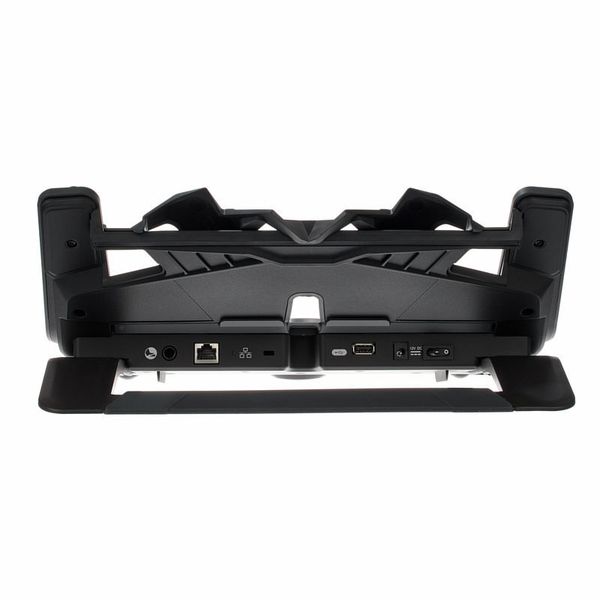
  • 6.3 mm Jack connection for foot switch
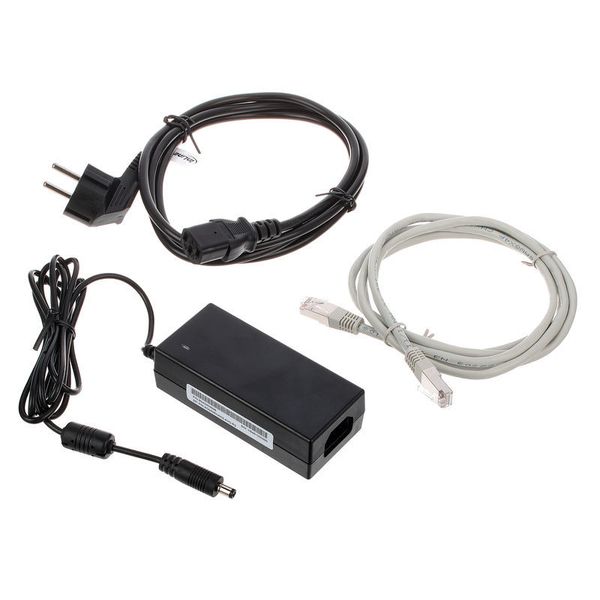
  • USB 2.0 port for tablet power supply
  • Ethernet port
  • Supports Avid Pro Tools 12.5 or higher, Apple Logic Pro X, Steinberg Cubase 8.5 and Nuendo 7.0 or higher, as well as other EUCON-compatible applications

Note: Tablet not included in the scope of delivery.

  • Available since June 2016
  • Item number 389423
  • Sales Unit 1 piece(s)
  • USB No
  • Bluetooth No
  • 5-pole DIN MIDI No
  • Ethernet Yes
  • Fader 1
  • Rotary Encoders 17
  • Audio I/O No
  • Transport Function Yes
  • Footswitch connection Yes
  • Foot Controller Connection No
  • Bus-Powered No
  • Jog Yes
  • Joystick No
  • Additional Features compatible with iPad
4.275,99 AED 999,16 €
The prices shown exclude VAT
The price in AED is a guideline price only
Since we ship from Germany, additional costs through taxes and customs may be incurred
In stock
1

Controller with tablet connectivity

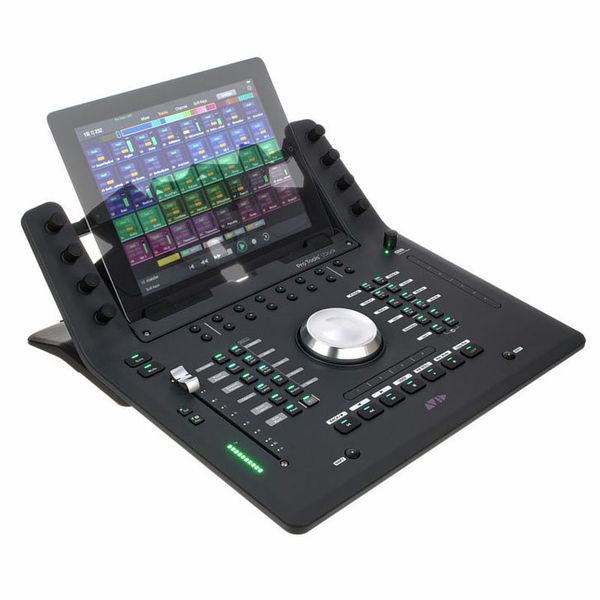
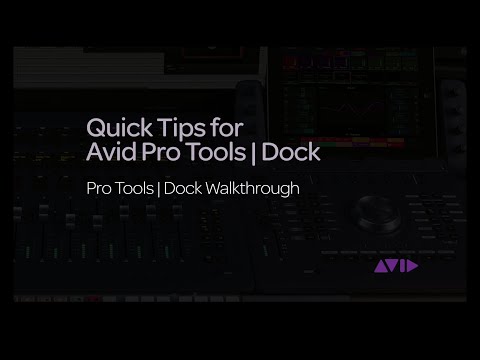
The Avid Dock is a fully featured DAW controller that, when combined with an iPad or Android tablet running the Avid Control app, serves as a central control surface for audio and video applications. The combination of a large display and the tablet's touch-based workflow makes for a fluid working experience, reducing the need to rely on a traditional mouse and keyboard. Thanks to support for the EuCon protocol, the Avid Dock integrates seamlessly with Pro Tools and Media Composer while also working with software from a wide range of other manufacturers, including Logic Pro X, Cubase, Digital Performer, and Premiere Pro. It also supports the widely used HUI and Mackie Control protocols, making it a flexible option for different studio environments.
Versatile controller functions

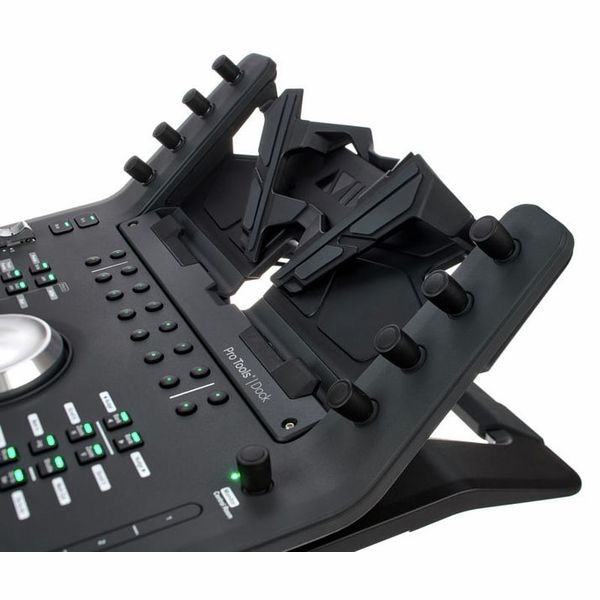
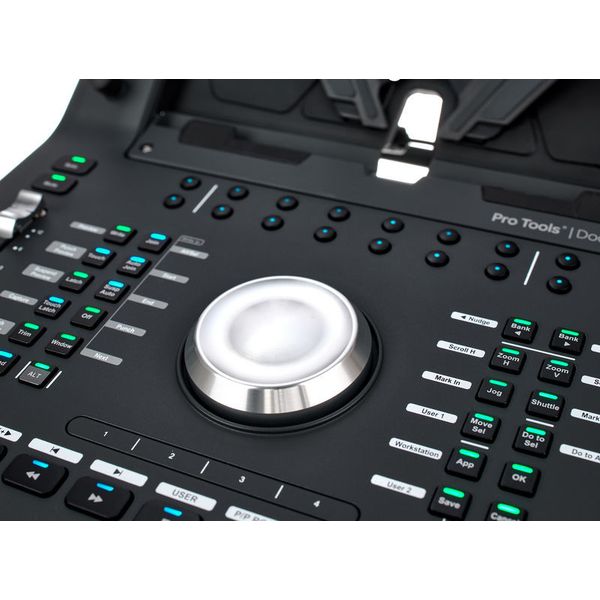
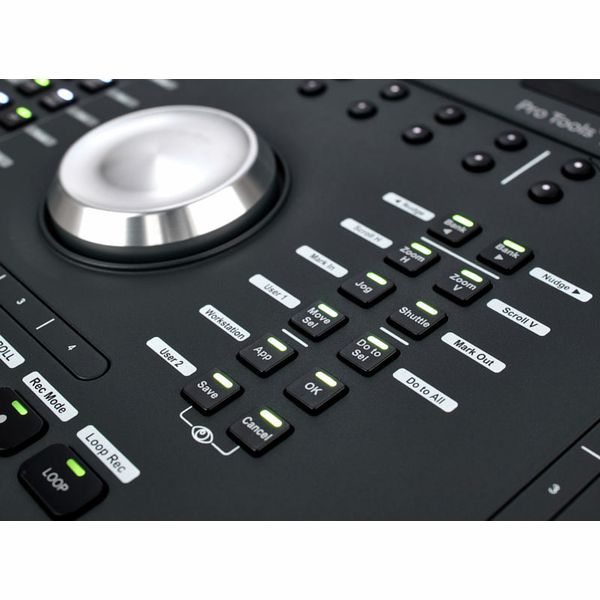
With its extensive range of controls, the Avid Dock goes well beyond the basic functions required to operate a DAW. Alongside a high-resolution 100mm motorised fader with LED level metering, a large jog wheel, and a range of transport and soft keys, the controller also features two touch-sensitive strips. Each strip is divided into four zones, which can be assigned to EuCon commands or keyboard shortcuts for quick access to a wide range of functions. These controls can also be used when the Avid Dock is operated independently, without a tablet, while connecting a tablet adds touchscreen control over numerous parameters, including plugins, with the eight surrounding encoders providing more precise adjustment.

Controls and touch workflow

The Avid Dock provides a genuinely hands-on approach to music production, video, and post-production, with its touch-based workflow and deep software integration making the experience particularly intuitive. With numerous freely assignable soft keys and two touch-sensitive strips, it can serve as the central control surface for working with a DAW. The Avid Dock can be connected directly to a computer via Ethernet, with an Ethernet-to-Thunderbolt adapter also supported, or integrated into a local network through a router. When using an iPad or Android tablet, a WiFi connection is required, while power is supplied through a dedicated USB port.

About Avid

Avid is one of the world’s leading manufacturers of audio and video software as well as the related hardware. The first core product from the company, which was founded in the USA in 1987, was the Avid Media Composer, which, as software for non-linear video editing, was the first to digitalise film material and remains one of the industry standards to this day. Since the takeover of Digidesign in 1995, the DAW software Pro Tools, which is in wide use particularly in the USA, has also been part of the portfolio of the steadily growing group. As time went on, Avid took also over the further development of the products made by M-Audio, Pinnacle Systems, and Sibelius Software, among others.

Flexibly expandable

With its slim, space-saving design, the Avid Dock provides a versatile and compact solution for DAW control when used as a standalone controller. In larger studio environments, however, it can also form part of a more extensive setup with up to four Avid S1 units, each providing eight mixer channels. In this configuration, the Dock serves as the central control unit for general DAW operation, while a connected tablet takes on the role of the master controller. The individual S1 units can also be paired with additional tablets if required, in which case they operate primarily as metering displays with a more basic touch-based workflow.

27 Customer ratings

4.8 / 5

handling

features

quality

13 Reviews

D
Great piece of equipment!
Djordan 22.09.2021
Avid Dock is absolutely perfect controller for Pro Tools. Great teammate with the Avid S1.
quality
features
handling
2
1
Report

Report

M
Speed up your work!
Momchil 24.12.2017
You can easily organize your work. All you need is in front of you!
quality
features
handling
0
0
Report

Report

a
Andy9
andy9 17.02.2020
this is a useful product from avid with Eucon
quality
features
handling
0
1
Report

Report

google translate de
Unfortunately there was an error. Please try again later.
j
Unbrauchbar
johannes82 17.05.2022
Ich habe lange gehadert, ob ich das Eucon Ecosystem ausprobieren soll oder nicht, hauptsächlich wegen dem hohen Preis. Aber irgendwann hat die Neugier gesiegt, und ich habe mir das Dock bestellt. Schließlich ist ein dediziertes Protokoll wie Eucon dem alten HUI/Mackie Protokoll weit überlegen, oder nicht? Grundsätzlich ist das richtig, aber es gibt leider derart eklatante Mängel in der Umsetzung, dass das System für mich als Cubase Nutzer kaum Verbesserung im Workflow bringt.

Zunächst mal hätte ich erwartet, dass zumindest der Großteil der Hardware Controls mit sinnvollen Funktionen für Cubase belegt ist. Leider ist das nicht so. Einige grundlegende Dinge funktionieren, z.B. die zentralen Transport Features, das Banking und Jog/Shuttle. ABER: Die linke Sektion an Buttons ist komplett unbelegt. Weiterhin ist so gut wie keine der Shift Funktionen belegt. Klar, kann man alles selber konfigurieren, aber da kommen wir schon zu meinem Hauptkritikpunkt: Dem katastrophalen Editor für die Softkeys. Das kann man wirklich nur als eine Unverschämtheit bezeichnen. So ein umständliches, unintuitives UI hab ich noch nie gesehen. Keinerlei Gedanke wurde hier an User Experience verschwendet. Noch schlimmer ist allerdings, dass man oft (sehr oft) keine Funktionen auf die Softkeys setzen kann, weil das Tool die Auswahl einfach nicht annimmt. Man startet es dann mal neu und irgendwann geht es wieder, aber das NERVT einfach nur! Dieses Tool hat eindeutig kein Entwickler für Desktop Software sondern der Protokollentwickler geschrieben und Avid hat es nach dem Aufkauf von Euphonix nicht für nötig gehalten, hier auch nur die kleinste Verbesserung vorzunehmen. Sorry, aber bei den Mondpreisen, die hier für die Control Surfaces abgerufen werden, erwarte ich eine Software, die sich vernünftig bedienen lässt. Punkt. Wenn ich mir vorstelle, dass S4/S6 Nutzer, die zehntausende oder hunderttausend Euro hingeblättert haben, auch diese Software benutzen müssen, dann frage ich mich wirklich, ob die Produktmanager bei Avid noch ganz bei Trost sind.

Weitere Kritikpunkte an der reinen Steuerungsfunktionalität sind: Scrolling (Horizontal/Vertical) habe ich nicht zum laufen gebracht, vermutlich ein Cubase Implementierungsproblem. Die Jog Sensitivität passt sich nicht dem Zoom Level an, aber es gibt auch keine Möglichkeit, die Geschwindigkeit mit einem Button zu verändern. Grundlegende Funktionen (Metronom an/aus, Mixer auf/zu, etc.) sind nur über Softkeys zugänglich, dafür sind (für mich) völlig unnütze Automationsfunktionen auf den 12 Buttons der linken Sektion belegt. Man kann die natürlich umbelegen, aber dann muss man sich die Belegung merken, weil die Beschriftung überhaupt nicht mehr passt.

Zur Verarbeitung: Das Jog Wheel ist super. Der Fader ist obere Mittelklasse. Der Rest fühlt sich nicht besonders hochwertig an. Die Buttons wackeln ein klein wenig und geben leicht nach, der Druckpunkt der Buttons ist aber präzise, jedoch für meinen Geschmack ein bisschen zu hart. Außerdem machen sie ein ziemlich nerviges klickendes Geräusch. Die Potis sind schwergängig und machen nicht besonders viel Spaß.

Meine Meinung: Für den aufgerufenen Preis von über 1000 Euro wird hier zu wenig geboten. Die Avid Control App auf dem Tablet macht die Hauptarbeit, und die ist kostenlos. Die paar Hardwarecontrols auf dem Dock sind nicht flexibel genug anpassbar und das Editieren der Belegung verursacht große Schmerzen durch die schlechte Editor Software. Mag sein, dass das Ding als ProTools Controller tatsächlich besser einsetzbar ist, aber für Cubase taugt es nicht und geht somit zurück.
quality
features
handling
10
8
Report

Report